 Indian in Saudi Arabia
· indianinsaudi · technology · 8 min read
Convert STC to eSIM Easily — No Branch Visit Needed
Learn how to convert your STC SIM to an eSIM using the My STC app and Nafath verification. Quick, secure, and done from your phone — payment with Mada and QR install explained.
If you want to convert stc to esim without visiting a branch, this clear, step-by-step guide shows exactly how to do it using the My STC app and Saudi digital verification. The process to convert stc to esim is fast, secure, and can be completed from your phone in a few minutes. Follow the steps below, use the screenshots to guide you, and read the troubleshooting tips and FAQ at the end.
Table of Contents
Why convert stc to esim?
eSIMs are embedded SIM profiles that let you activate a mobile plan without a physical SIM card. There are practical benefits when you convert stc to esim:
No need to keep or swap a physical SIM.
Switch between carriers or multiple numbers more easily.
Better for modern phones that support dual-SIM (eSIM + physical SIM).
Everything can be done remotely — no visit to an STC branch.
What you’ll need before you begin
An active STC mobile number (the SIM you want to convert).
A smartphone that supports eSIM (iPhone or other compatible device).
The My STC app from the Play Store / App Store.
The Nafath (Saudi digital identity) app for verification or another accepted verification method.
A Mada or other bank card for the conversion fee (SAR 28.75 for prepaid numbers or SAR 57.50 for postpaid numbers, including VAT, per stc’s website as of November 2026).
A live OTP-enabled bank account for payment confirmation.
Step 1: Install the My STC app and sign in
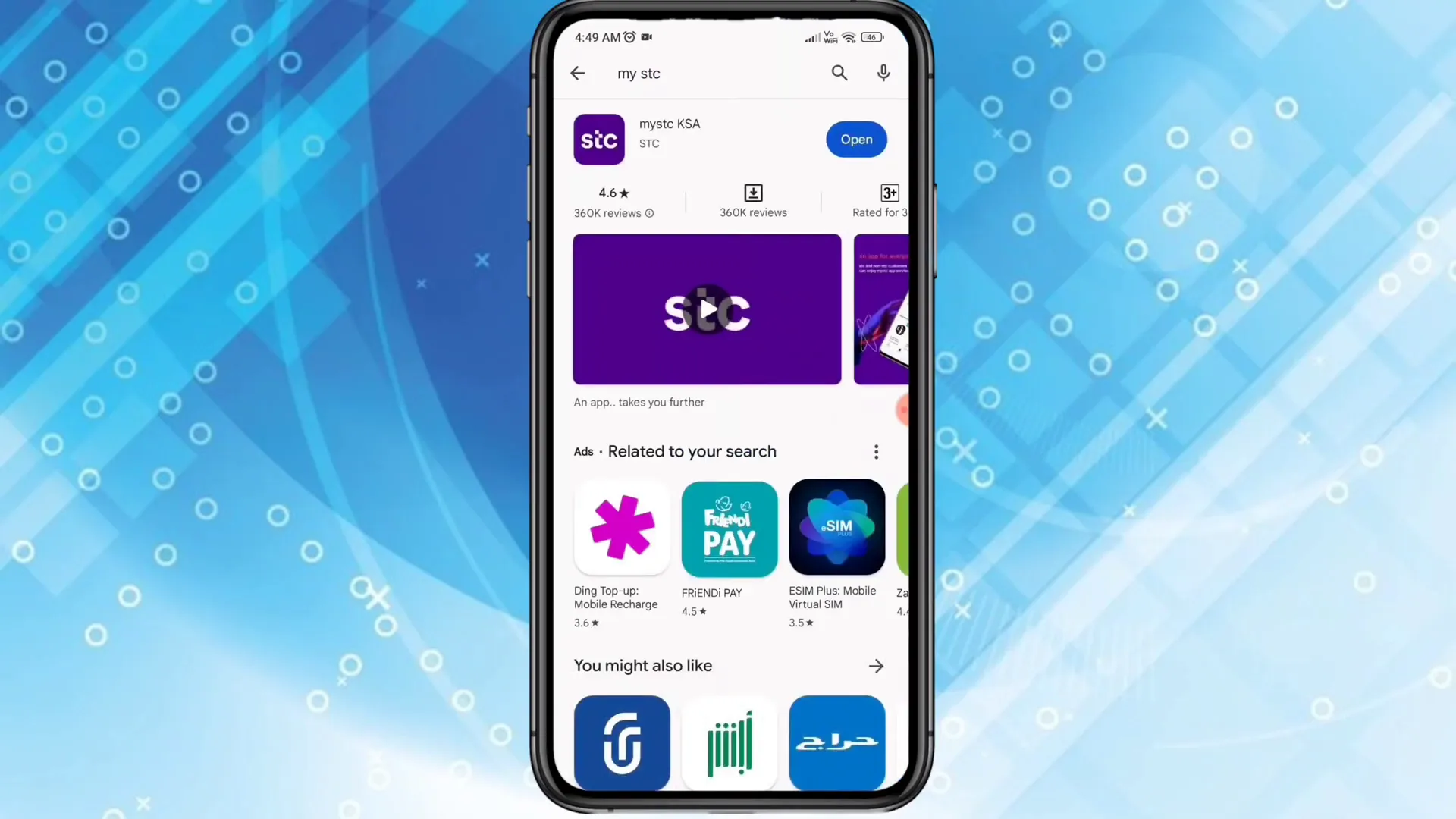
Open your phone’s app store and search for “My STC”. Download and install the official My STC application, then open it.
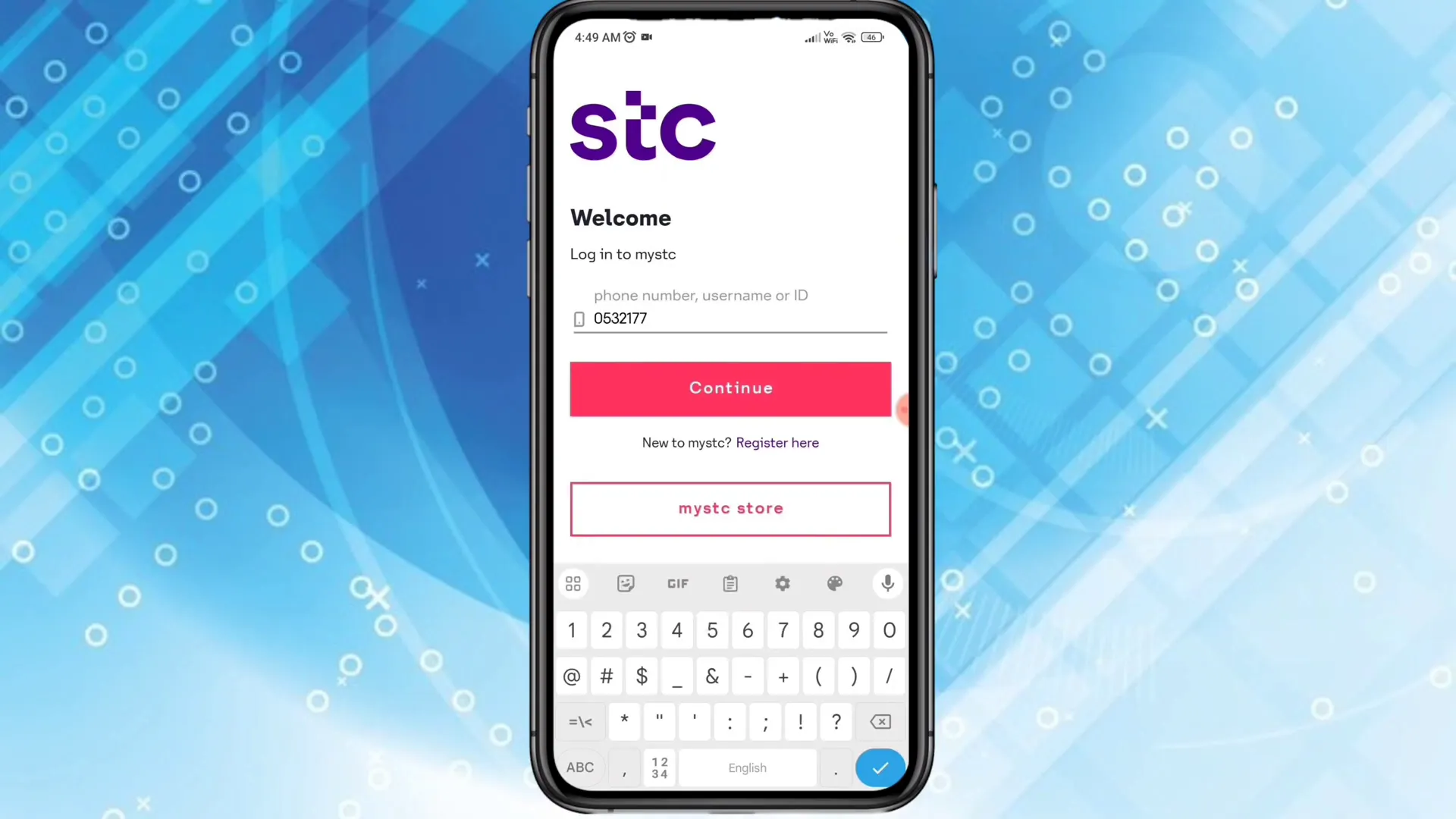
Once the app opens, enter your STC mobile number and tap Continue. You will receive a 6-digit OTP on the same number. Enter the OTP to log in.
Step 2: Open Number Management in the app
After you log in, tap the “More” menu at the bottom of the My STC app. From More, select “Number Management” (sometimes labeled as Number Management or SIM management). In newer versions of the app, stc describes the path as: tap “Manage” on the home screen, then the SIM icon at the top of the page, then your SIM.
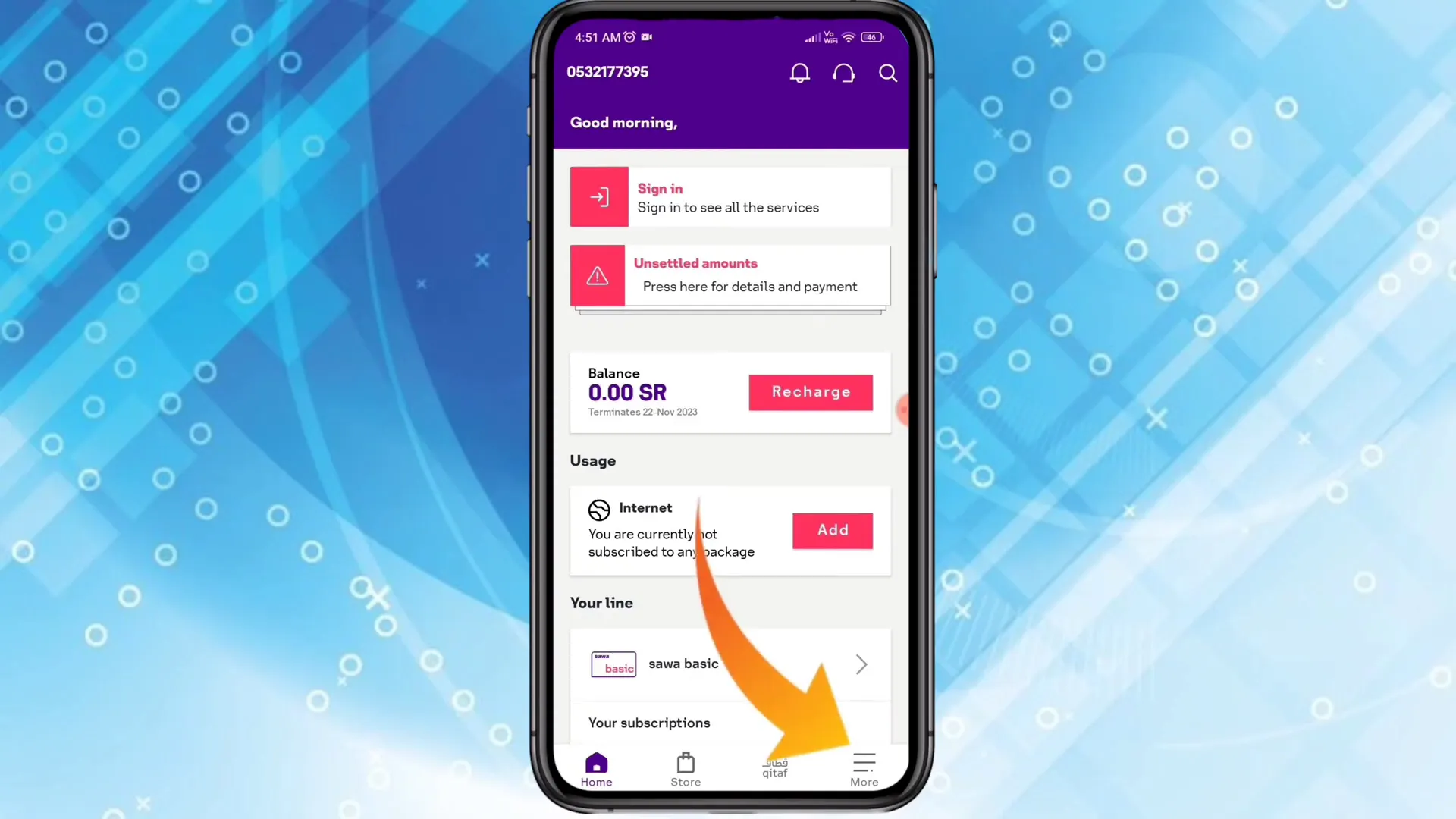
In Number Management, you will see your active (primary) SIM displayed. Tap on your primary SIM to manage it.
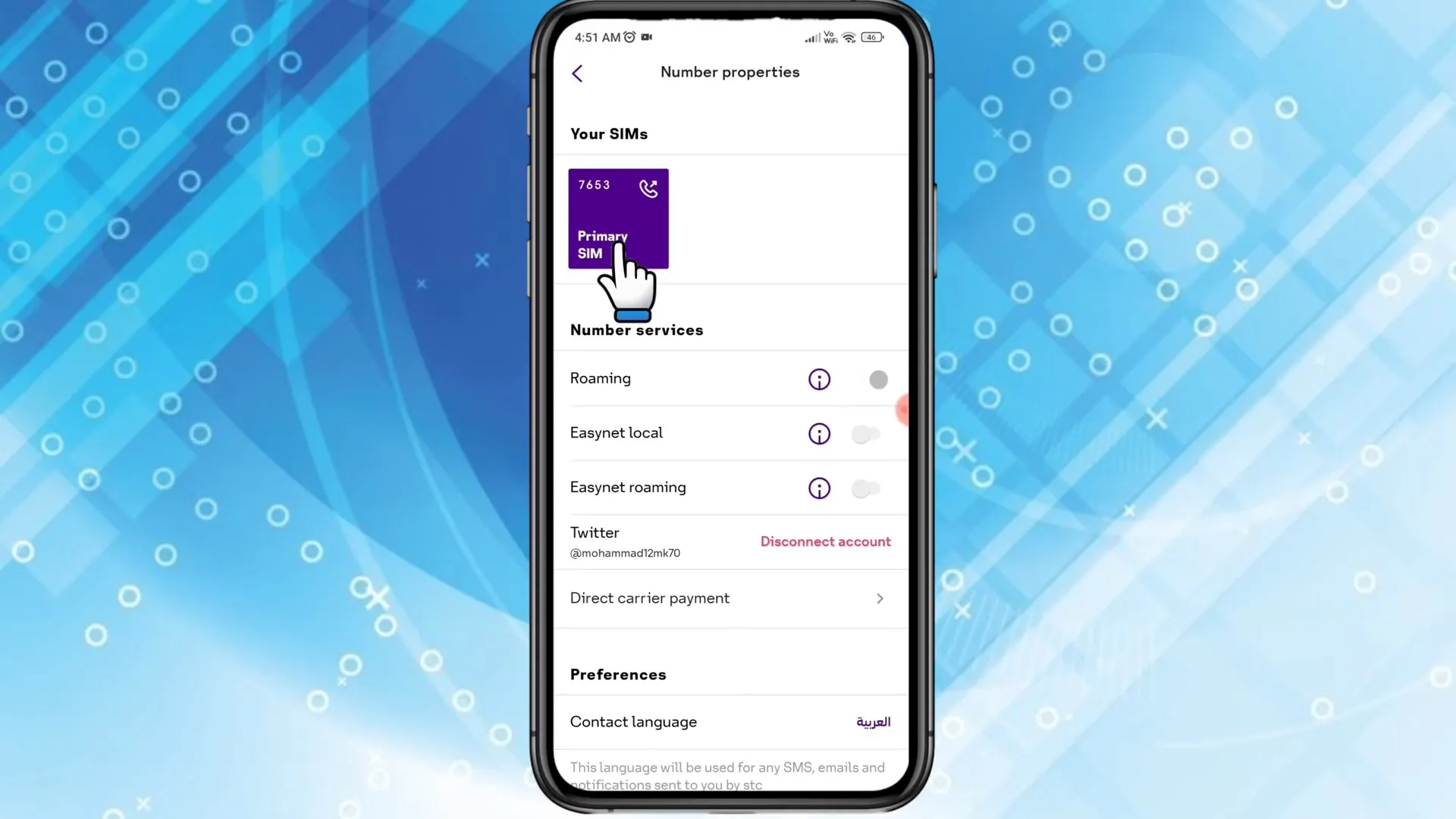
Step 3: Choose Replace SIM and select eSIM
Within the SIM management options, tap “Replace SIM”. The app will present several replacement choices — choose the option to use an eSIM.
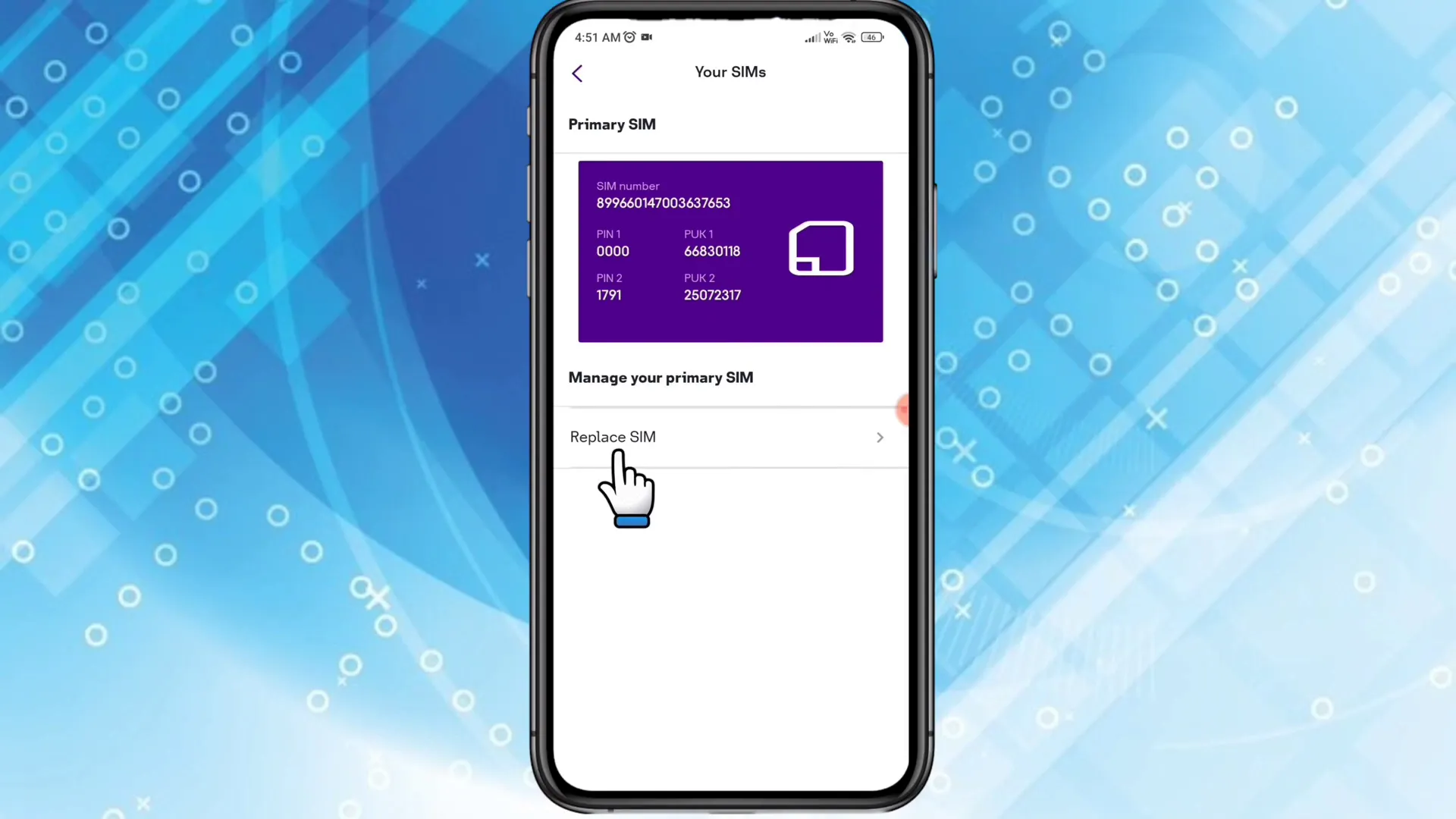
If the app asks about device compatibility, confirm whether your device is an iPhone or another compatible model. If you see a compatibility prompt, tap “Yes” to continue.
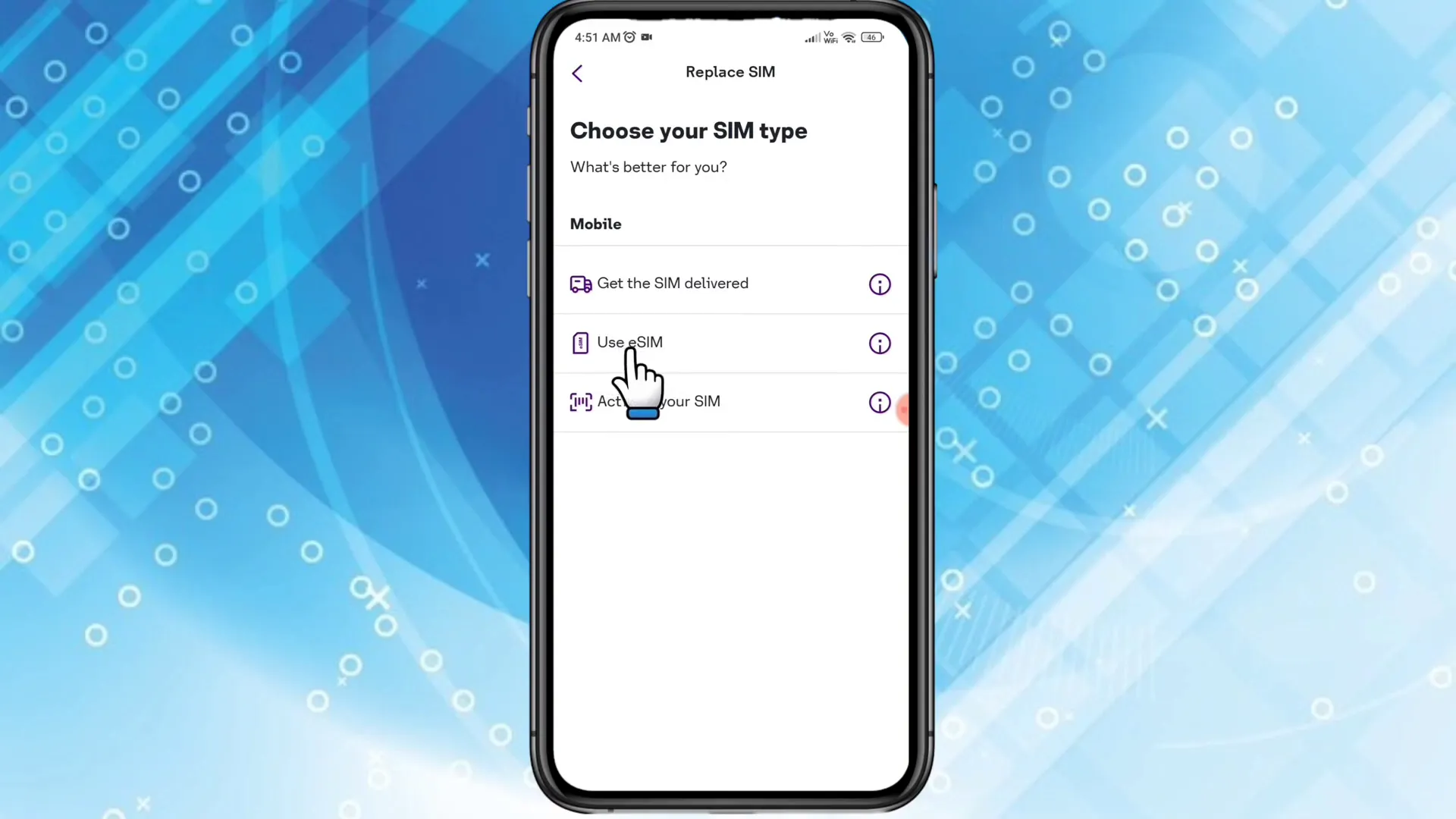
Step 4: Review cost, terms and authorize verification
The My STC app shows the conversion fee. stc’s published fee is SAR 28.75 for prepaid numbers and SAR 57.50 for postpaid numbers, including VAT (as of November 2026). Read the Terms and Conditions and tick the acceptance box. Then tap to authorize the process — the app will prompt you to complete digital identity verification.
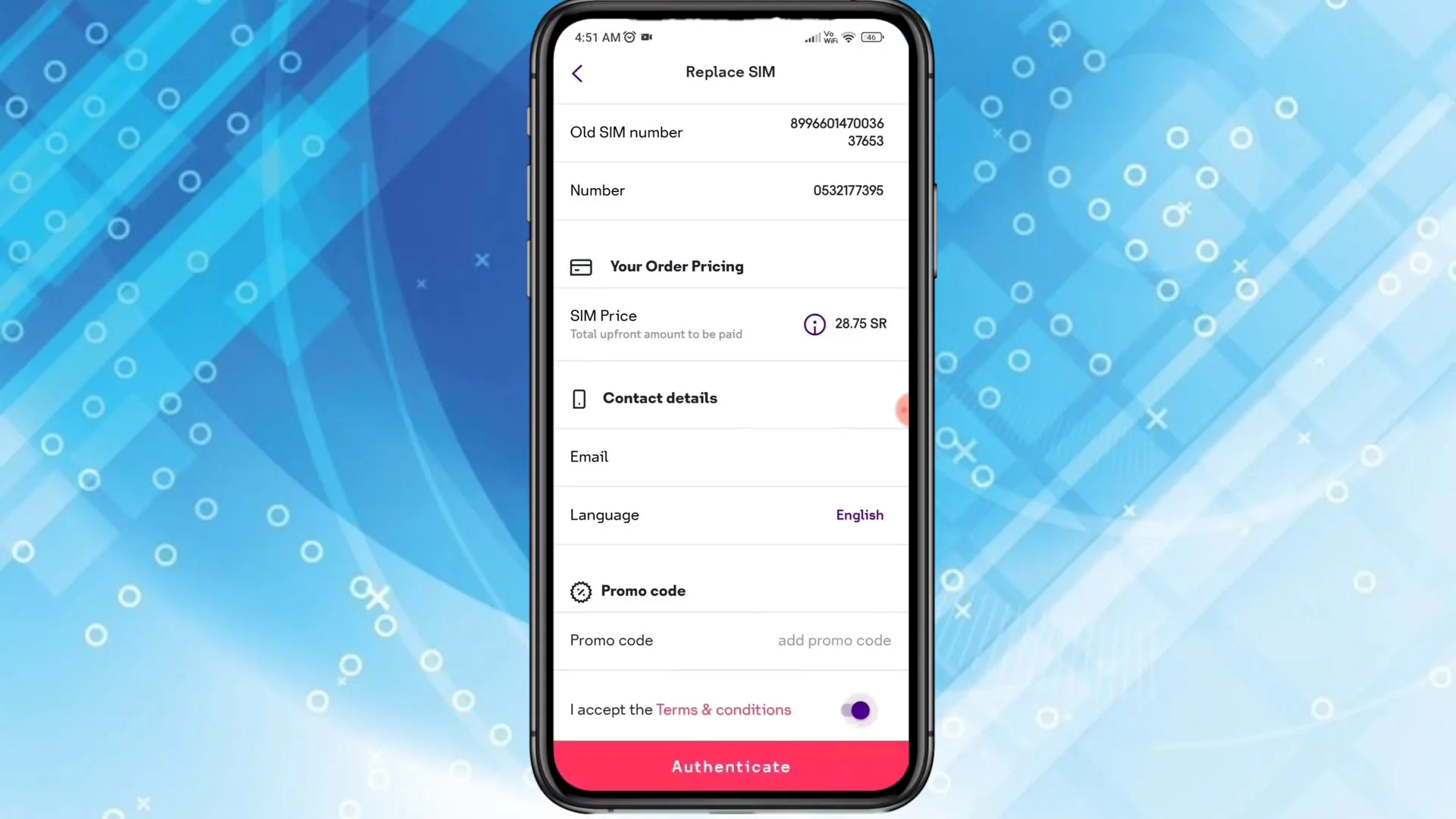
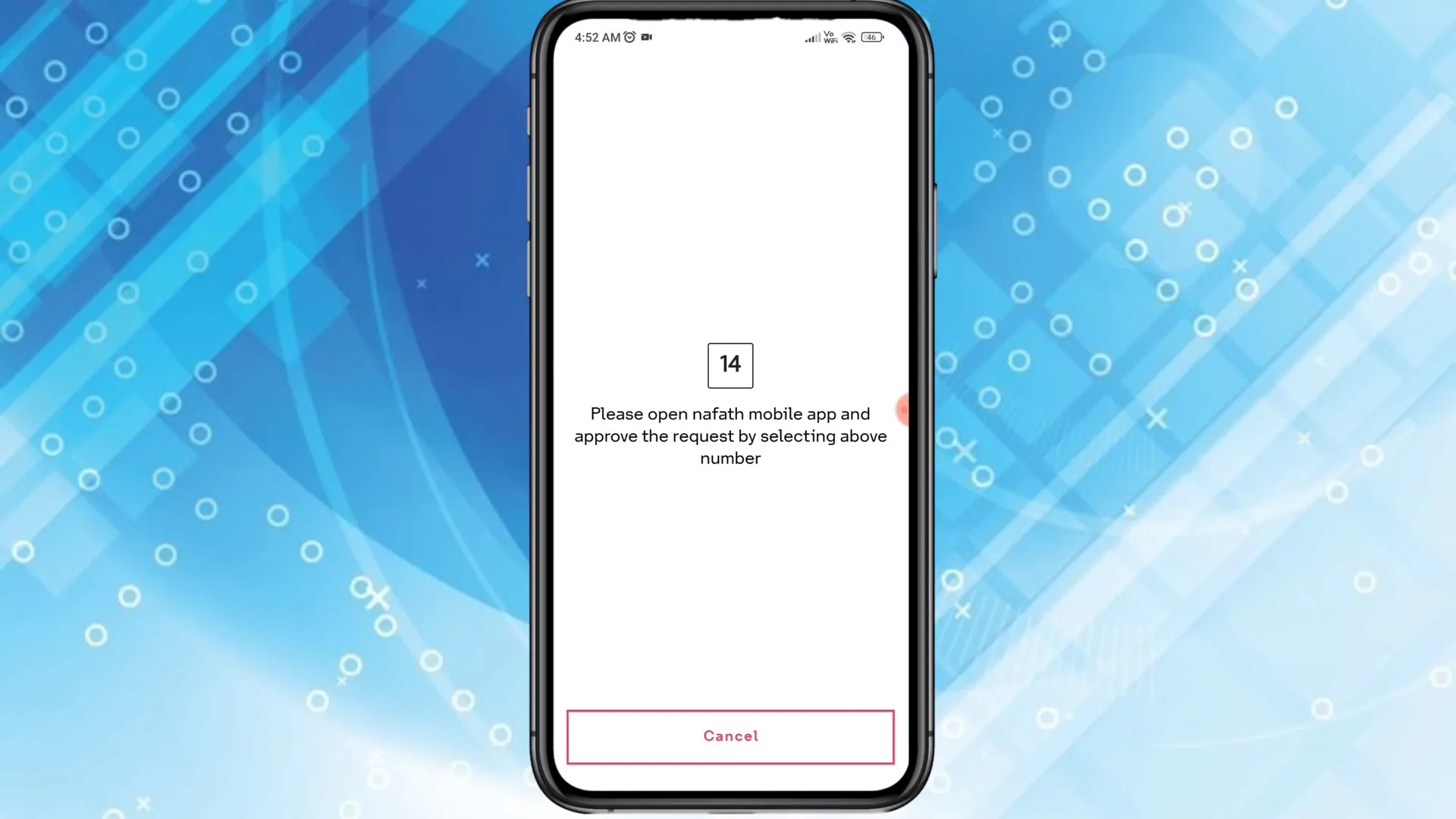
For verification, the app will ask you to open Nafath (Saudi digital identity) or another accepted verification tool. Open the Nafath app and complete the verification for the mobile number shown. Once verification is completed in Nafath the My STC app will automatically detect it and proceed to the payment page.
Step 5: Choose payment method and complete payment
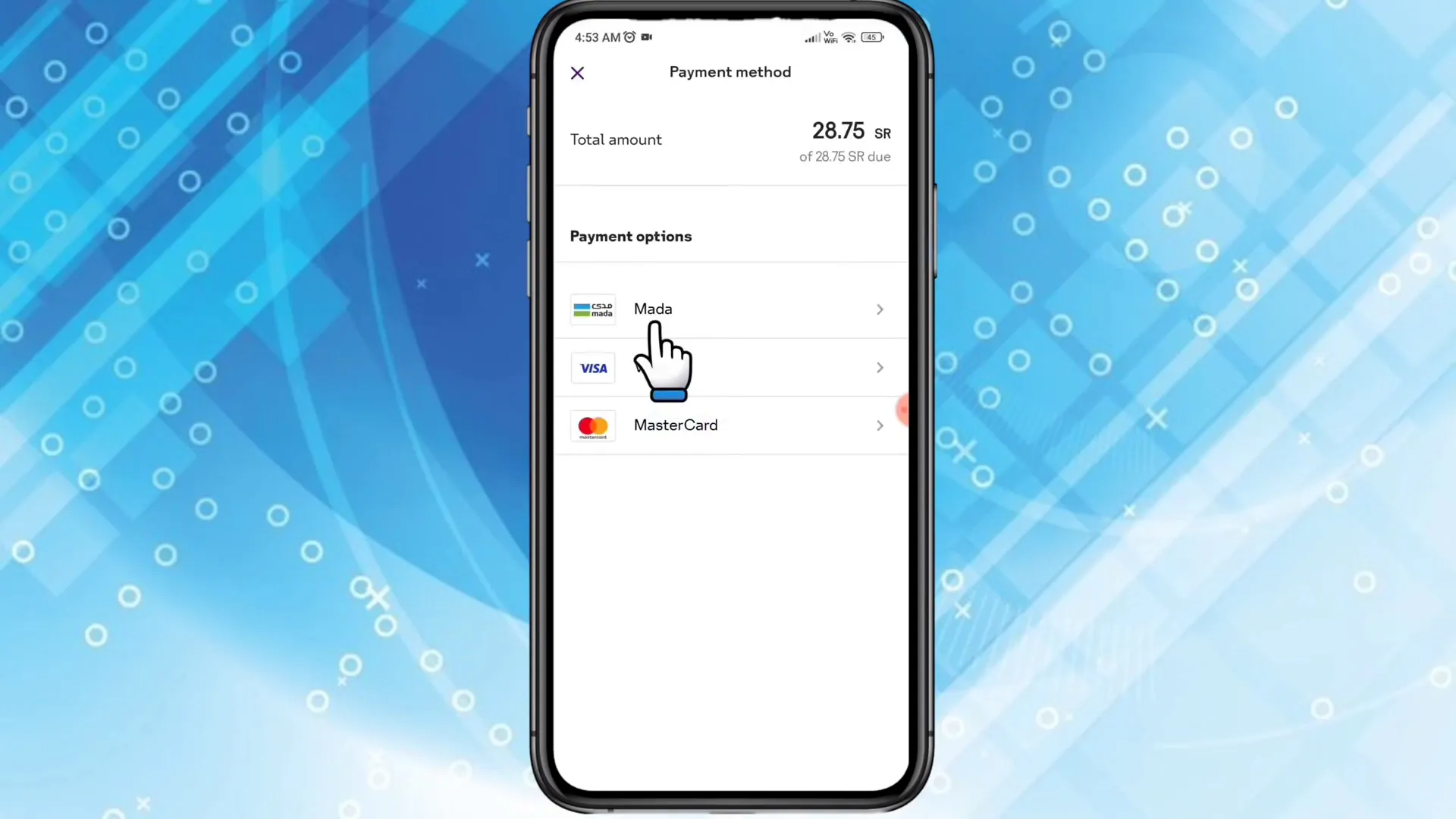
On the payment page, choose your payment method. Most users in Saudi Arabia will use Mada or a supported card network. Select Mada (or your preferred option), then enter your card number, expiry month, expiry year, and CVV.
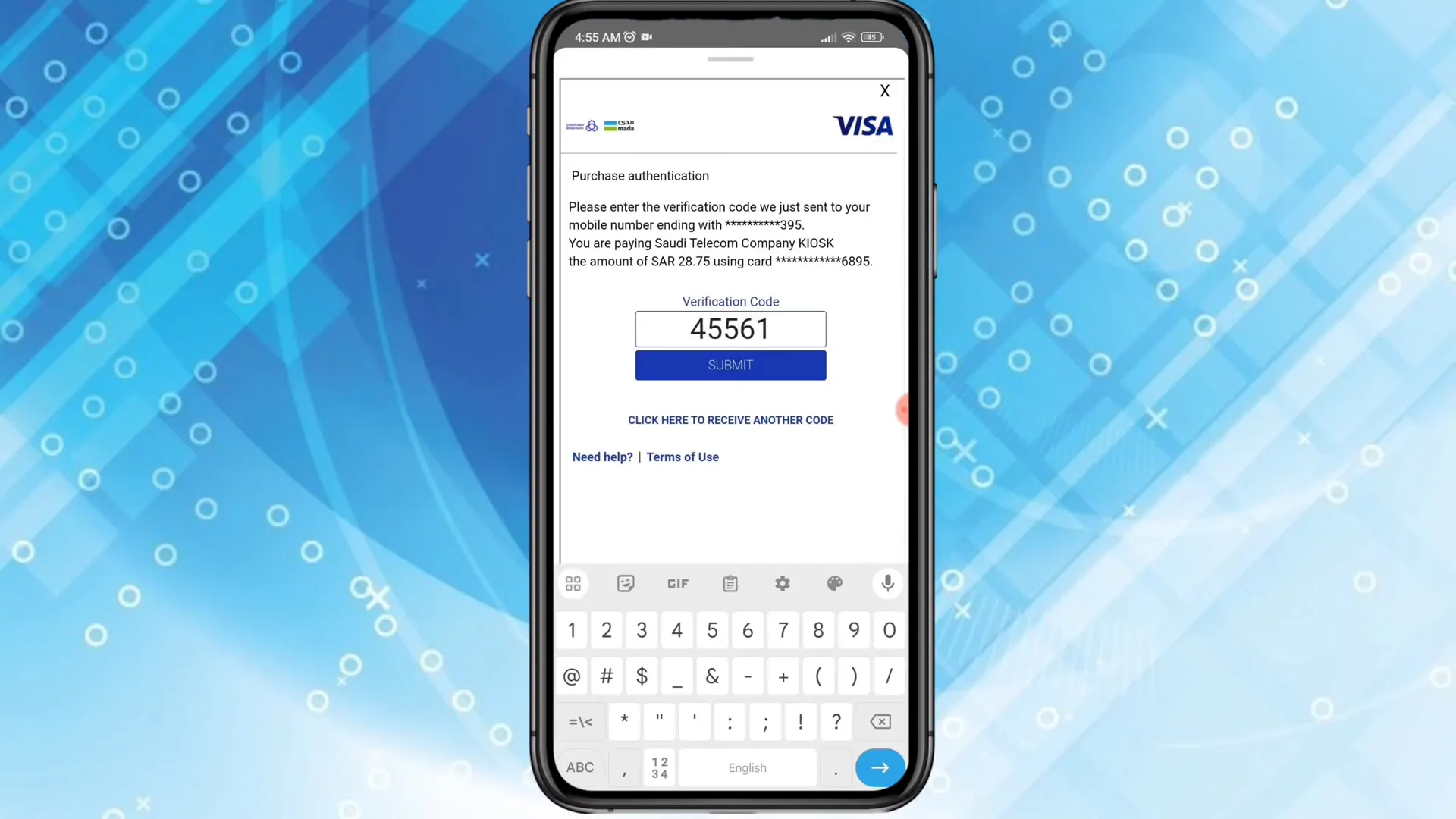
Tap “Pay Now” to submit the payment. Your bank will send an OTP for transaction confirmation — enter that OTP and submit. Once payment is confirmed, the My STC app processes the request and displays a confirmation page.
Step 6: Get your eSIM QR code and install
After successful payment and verification, My STC will generate an eSIM barcode (QR code). The app reports that the eSIM QR code will show within a minute. Once visible, scan the QR code with your phone to install the eSIM profile. Make sure your phone is connected to the internet (for example Wi-Fi) while you scan, or the activation can fail.
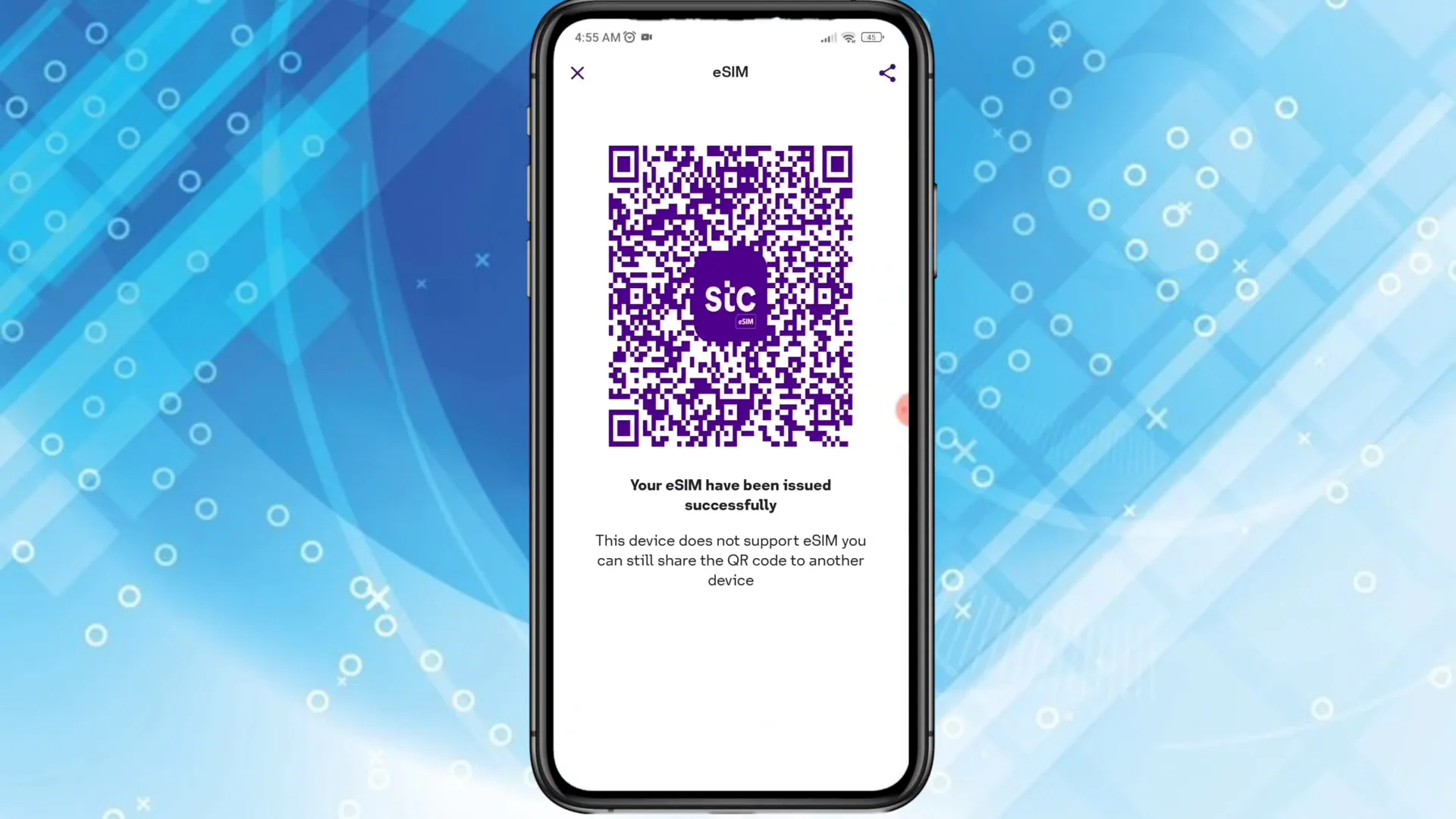
On iPhones: Go to Settings > Cellular > Add Cellular Plan and scan the QR code. On Android devices, follow the Add eSIM or Add Cellular Plan steps in settings. After scanning, the phone will download the eSIM profile and activate your STC number on the eSIM.
Step 7: Confirm activation and remove physical SIM if desired
Once the eSIM installs, confirm that your mobile number is active on the eSIM. Make a test call or try data. Note that once the eSIM is active, the old physical SIM for the same number stops working, so it cannot be kept as a working backup; you can remove it once the eSIM is confirmed active.
The whole process to convert stc to esim is designed to be fast and remote — there’s no need to visit a branch.
Troubleshooting and practical tips
OTP not received? Ensure the physical SIM is active and your phone has network signal. Restart the phone and request a new OTP.
Nafath verification failed? Make sure your Nafath app is set up and linked to your Saudi ID. Update the app and retry the verification step.
Payment OTP not received? Contact your bank — many Saudi banks may require 3D Secure (bank OTP) to process the transaction.
Device not compatible? Check your phone model against STC support pages. If your phone doesn’t support eSIM, you can’t convert until you have a compatible device.
Keep your physical SIM until successful activation. Don’t remove the physical SIM until the eSIM is confirmed active.
FAQ — Convert STC to eSIM
Q: How long does it take to convert stc to esim?
A: The conversion itself is usually completed in minutes. Verification and payment steps can add a few extra minutes. Once payment and verification are complete, the eSIM QR code typically appears within a minute and you can install it immediately.
Q: Is there a fee to convert stc to esim?
A: Yes. stc charges SAR 28.75 for prepaid numbers and SAR 57.50 for postpaid numbers (including VAT) to upgrade a physical SIM to eSIM, per its website as of November 2026. The amount shown in the app during the process is the fee you need to pay. Keep your bank card ready for this payment.
Q: Can I revert back to a physical SIM after converting stc to esim?
A: If you wish to go back to a physical SIM, contact STC support. In many cases you can request a replacement physical SIM or reassign the number back, but certain steps and fees may apply.
Q: Will my phone number change when I convert stc to esim?
A: No. The number remains the same; only the SIM format changes from physical to eSIM.
Q: What if my phone doesn’t support eSIM?
A: If your device does not support eSIM, you cannot convert the number to eSIM on that device. You can still keep using the physical SIM. When you get an eSIM-capable device, you can repeat the conversion process.
Q: Is it safe to convert stc to esim online?
A: Yes, the process uses identity verification (Nafath) and bank OTPs, which adds secure layers. Use official apps and keep your device secure.
Converting your mobile to eSIM is a small step that makes managing mobile plans easier and more flexible. If you follow the steps above, you can convert stc to esim without leaving your home and with minimal fuss. If you run into any problems, STC customer support and your bank’s helpdesk are the two best resources to contact.
Note: For official rules, fees, and device compatibility always consult STC’s customer support or their official website. This guide explains the typical steps to convert stc to esim and includes practical tips based on the standard app flow and verification methods.
- esim
- stc