 Indian in Saudi Arabia
· indianinsaudi · visa-family-visit · 5 min read
Apply for Saudi Family Visit Visa - MOFA
If You are a Resident or a Citizen of Saudi Arabia, You can bring your family on a visit visa through MOFA – Ministry of Foreign Affairs.
⚠️ Latest updates: Visa rules change frequently. Visit the Family Visit Visa Latest Updates page for the most recent changes (30-day validity, single entry rules, Chamber issues) before proceeding with the steps below.
This guide provides a detailed, step-by-step process for applying for a Saudi Family Visit Visa.
Eligibility for Family Visit Visa Application
MOFA’s official service page describes the Family Visit Request as a service for residents to invite their first-degree relatives such as parents, spouse and children (MOFA). The relations below have been used on the platform, but approval for relatives outside the first degree (in-laws, grandparents, siblings-in-law) is not guaranteed — check the relation options shown on the form:
Parents
Children
Husband/Wife
Mother-in-law/Father-in-law
Sister-in-law
Grandparents
Brothers/Sisters of foreign husband/wife married to Saudi locals
Requirements for Family Visit Visa Application
Valid passport of the sponsor
Valid Iqama of the sponsor
Valid passport of the applicants
Nafath application activated on the sponsor’s phone
A work Iqama — MOFA requires the resident sponsor to hold a work Iqama, not a dependent (family) Iqama (MOFA). Applications from many professions are accepted, but rejections are still reported for some, so don’t assume your profession will be approved.
Step-by-Step Procedure to Apply for Saudi Family Visit Visa
Visit the MOFA Website
Open your browser, preferably on a computer, and navigate to the KSA Visa platform at https://ksavisa.sa/ (MOFA’s official Family Visit Request page now links here). The older address https://visa.mofa.gov.sa/Account/Loginindividuals still opens. The screenshots below are from the older platform, so your screens may look different.Change Website Language to English
Click on the “E” symbol at the top left of the screen to change the website language to English.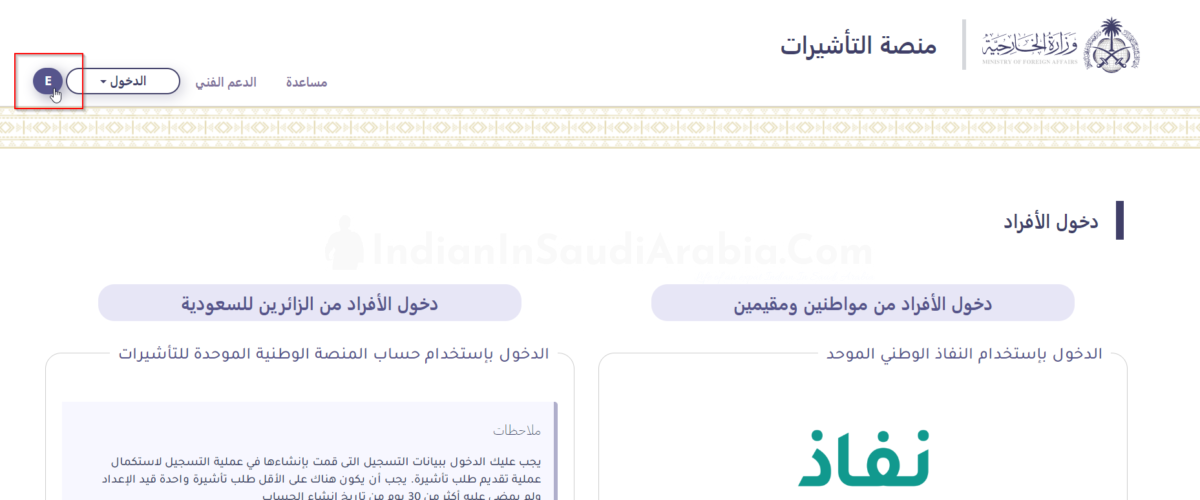
Login Using Nifad (National Sign-On) with Absher Account
Click on “Login” to proceed via your Absher account.
Register for an Absher account if needed.Change Nifad Site Language to English (Optional)
Change the Nifad site language to English if preferred.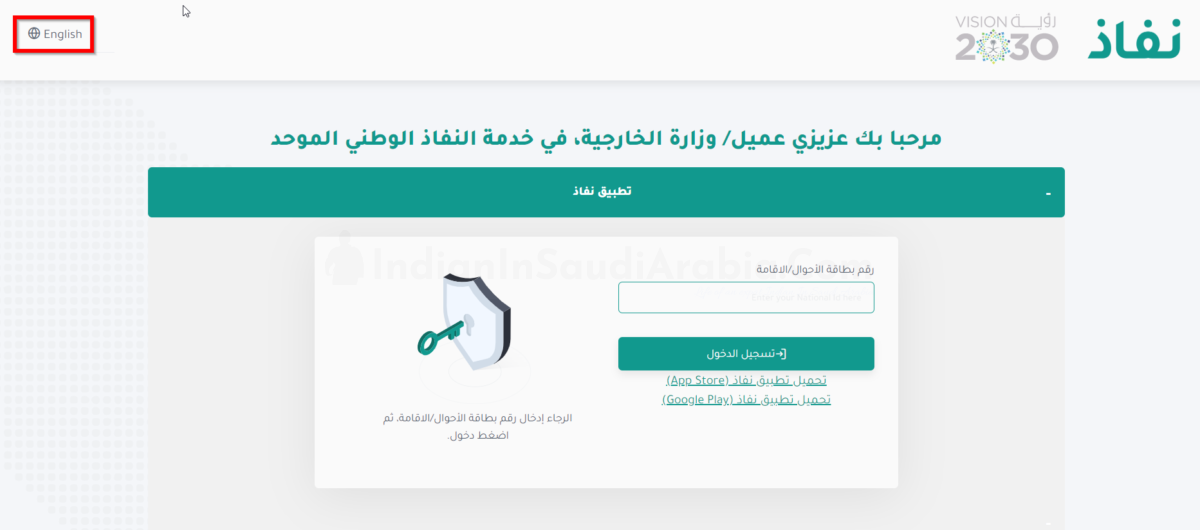
Enter Iqama ID and Log In
Enter your Iqama ID and click on “Login.” Ensure the Nafath application is downloaded and signed in on your phone with the registered phone number. Download Nafath from Google Play Store or Apple App Store. Enter the code displayed on your phone to complete the login process.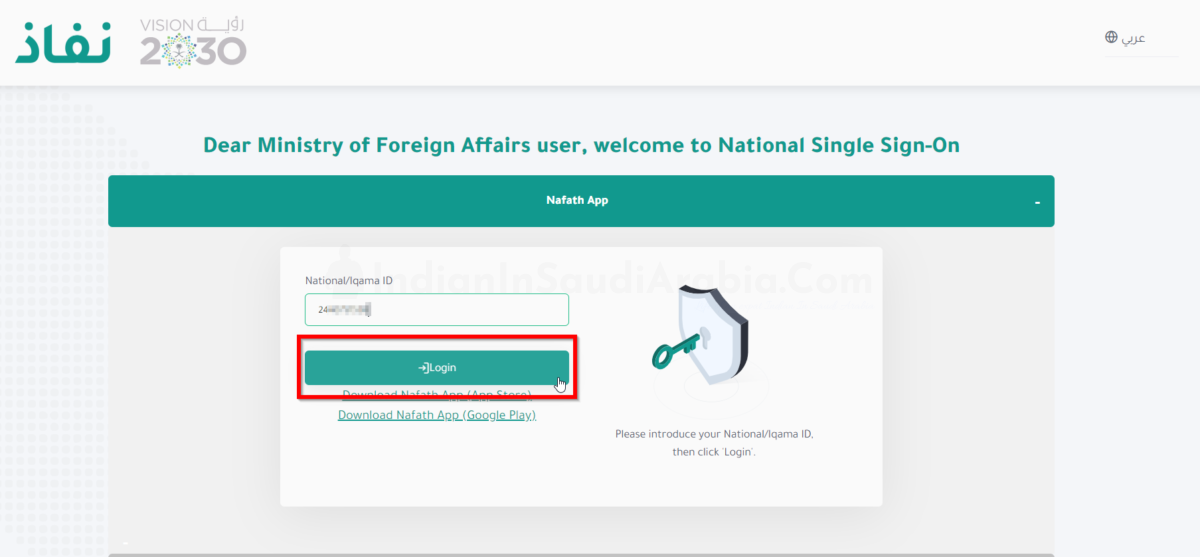
Enter Address, Phone Number, and Email
Enter your address, registered mobile number, and email ID, then click “Save.”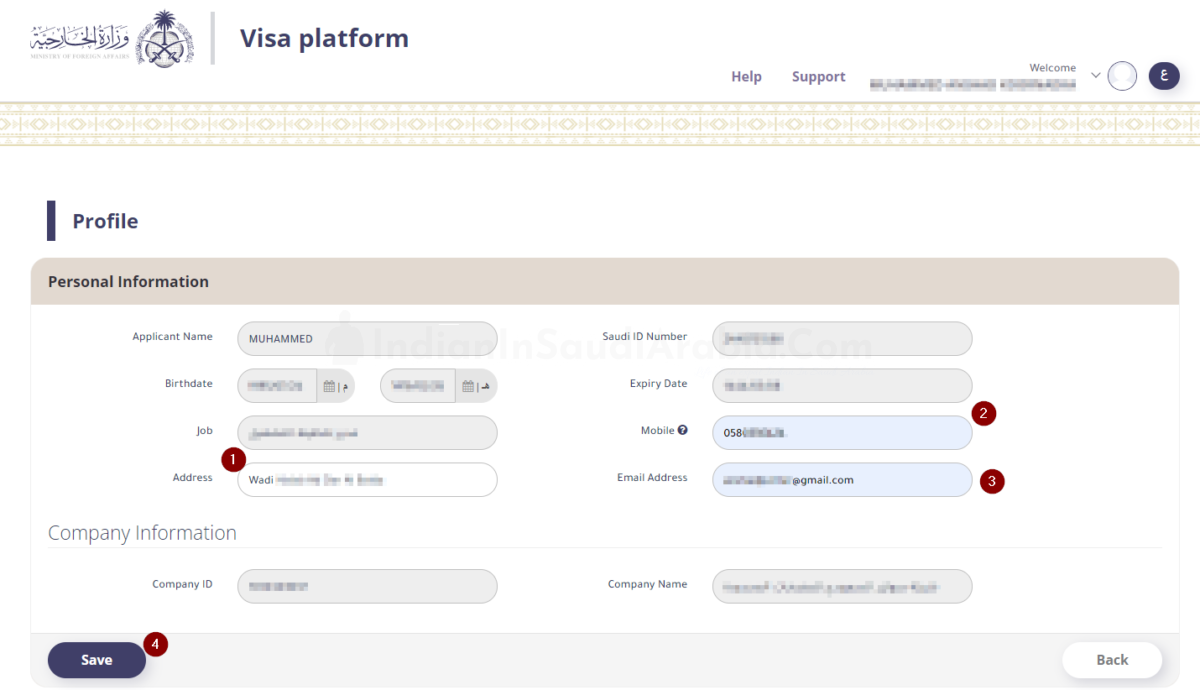
Close the Screen
After saving the data, click “Close” to proceed to the Visa Platform Dashboard.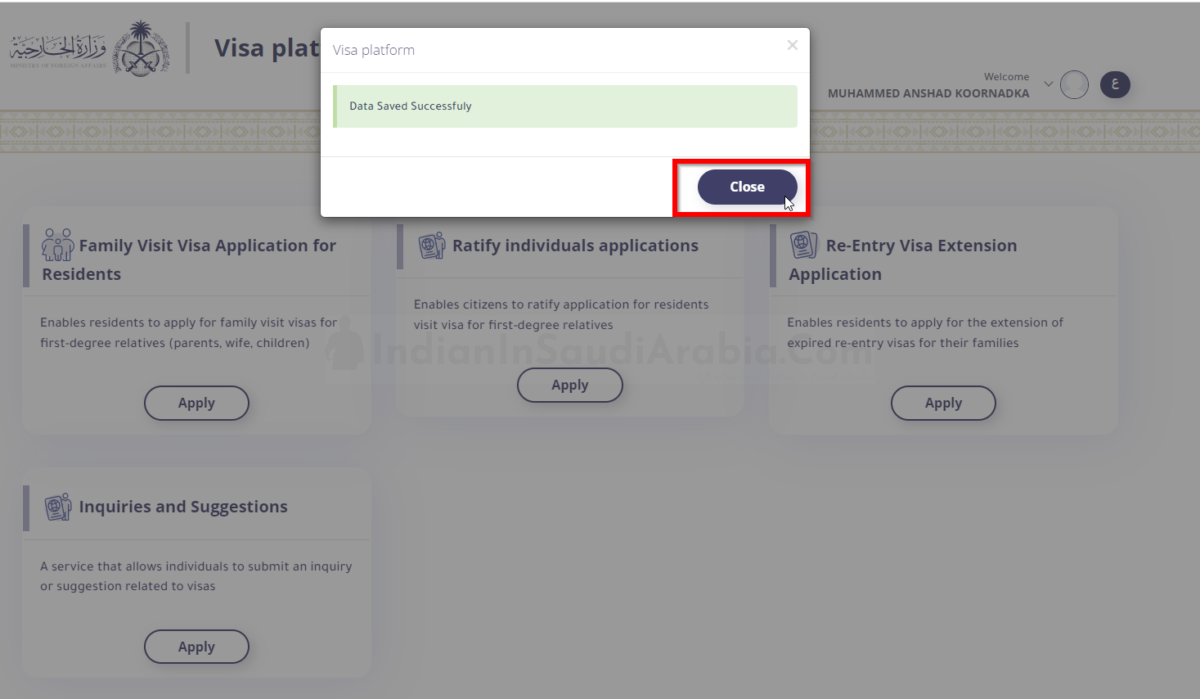
Apply for Family Visit Visa
In the Visa Platform Dashboard, select Family Visit Visa Application for Residents.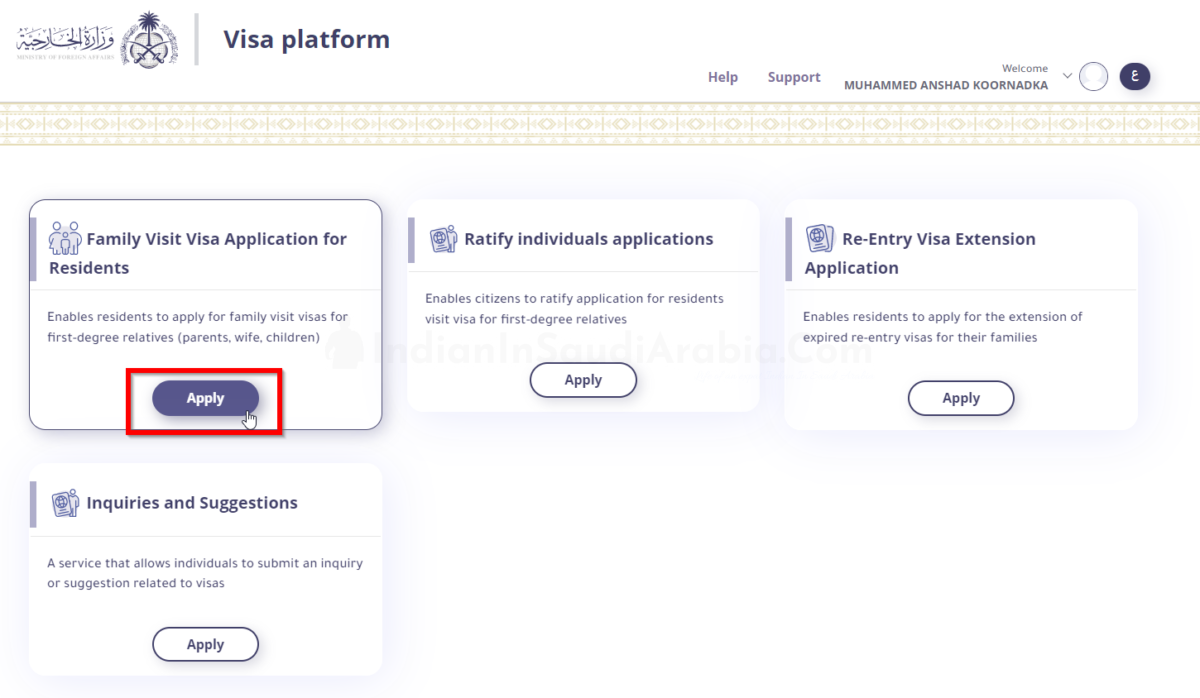
Add Applicants for Visit Visa
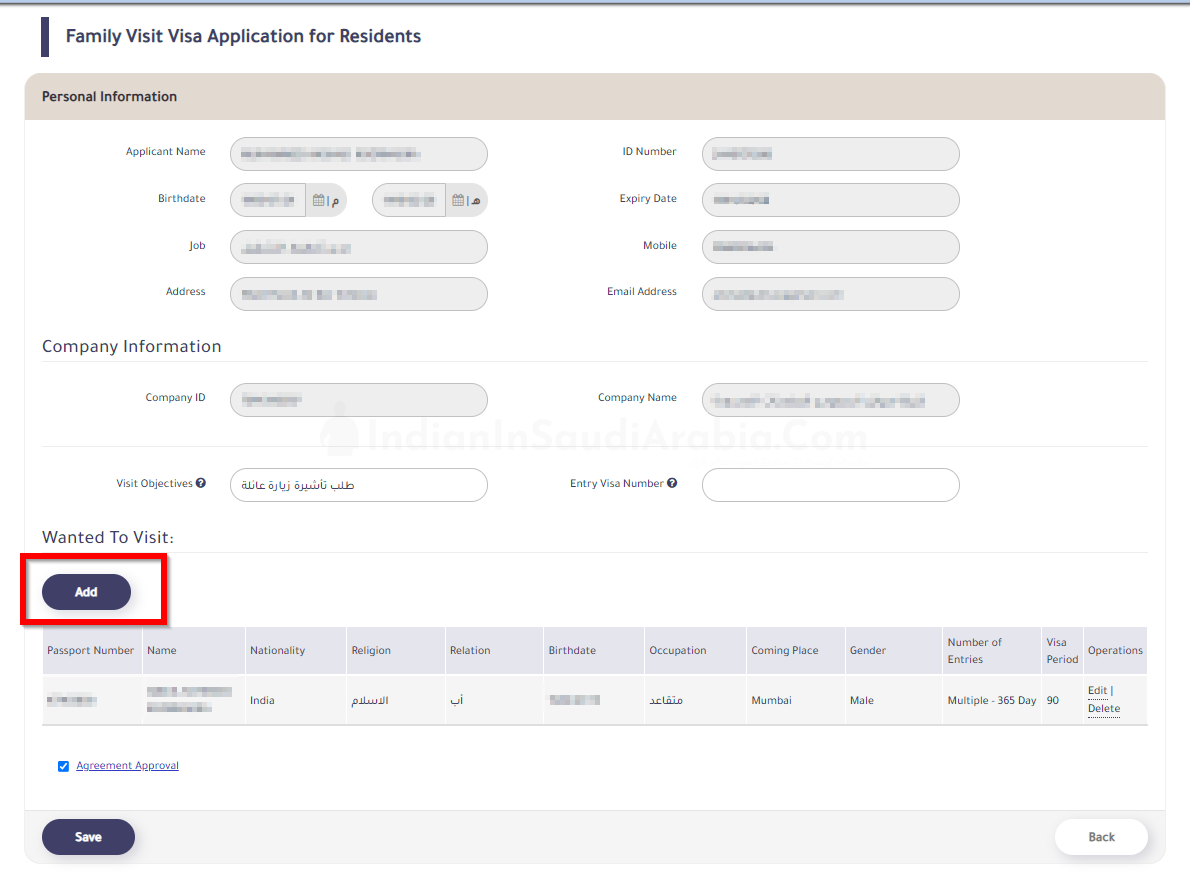
For the Visit Objectives field, type “Family Visit” in Arabic (طلب تأشيرة زيارة عائلة).For the Entry Visa Number field, enter the visa number stamped on the applicant’s passport (optional for first-time visitors).
Under Wanted to Visit, click Add to start adding applicants.
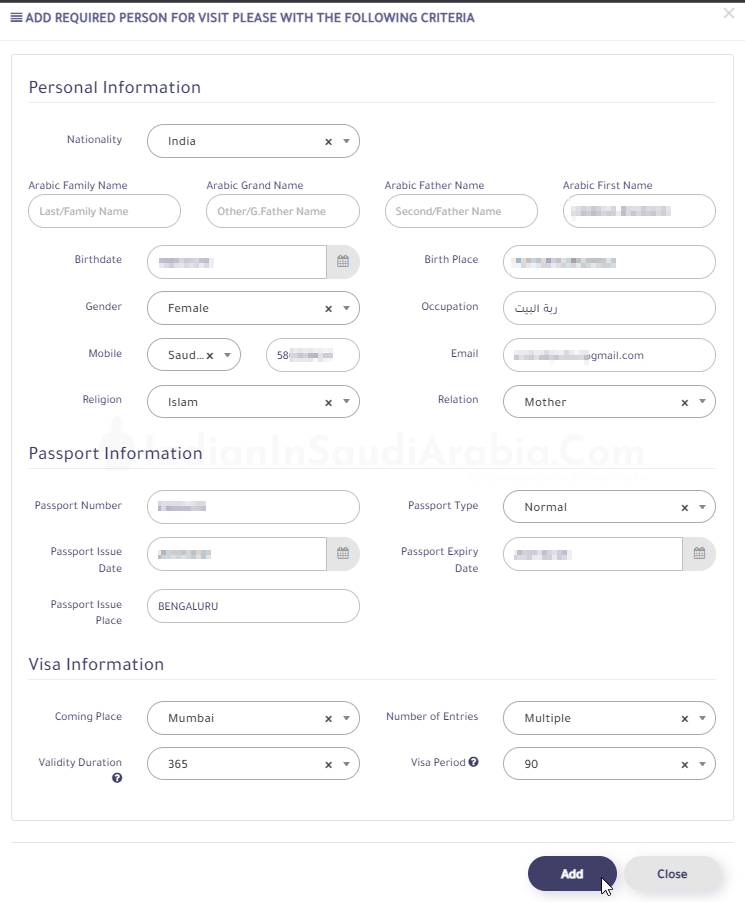
Fill Visit Visa Application Form
- Enter the applicant’s personal information, including nationality, Arabic family name, Arabic grand name, Arabic father name, Arabic first name, birth date, birth place, gender, occupation (preferably in Arabic), mobile, email, religion, and relation. Ensure the information matches the applicant’s passport.
- Provide passport information, including passport number, passport type, issue date, expiry date, and issue place.
- Enter visa information, including Coming Place (the nearest Saudi Embassy city in the applicant’s country) and the number of entries (single or multiple entry).
- For Indian nationals, only single-entry visit visas are currently offered — Saudi Arabia stopped issuing multiple-entry visit visas to India and 13 other countries from February 2025, and as of late 2026 the platform still offers family visit visas to Indians as single entry only. Check the entry type the form shows you.
- Extensions: the stay can be extended online through Absher (My Services → Passports → Visitor Services) (Okaz, Sept 2026). Per Jawazat, the total stay including extensions cannot exceed 180 days (Jawazat FAQ).
- Click Add after filling in all required information correctly.
Save Visa Application Form
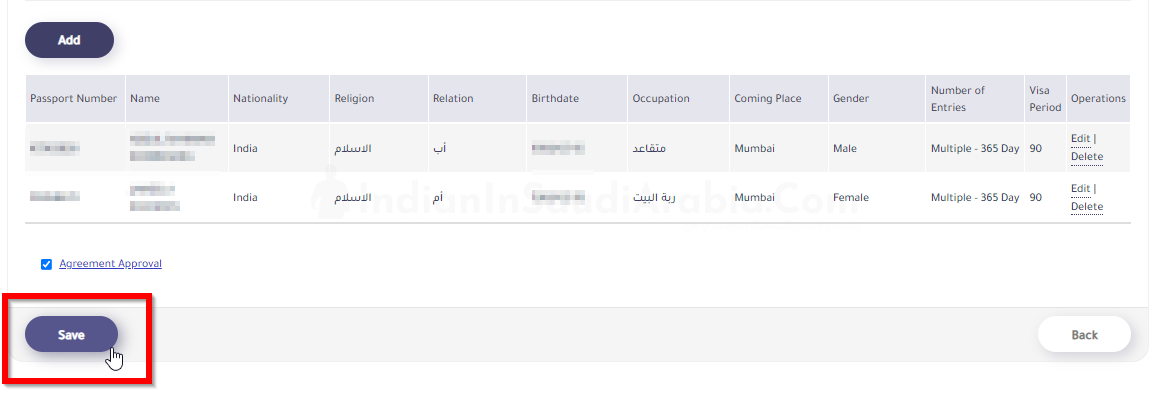
- The applicant’s information will appear under the Wanted to Visit table. To add more family members, click Add again.
- Otherwise, check Agreement Approval and click Save.
Close the Survey Pop-Up
After saving the application, click إرسال (Irsal) to close the survey pop-up.Print Visa Application in Arabic
Click طباعة (Print) to print the application in Arabic. Note the generated application number.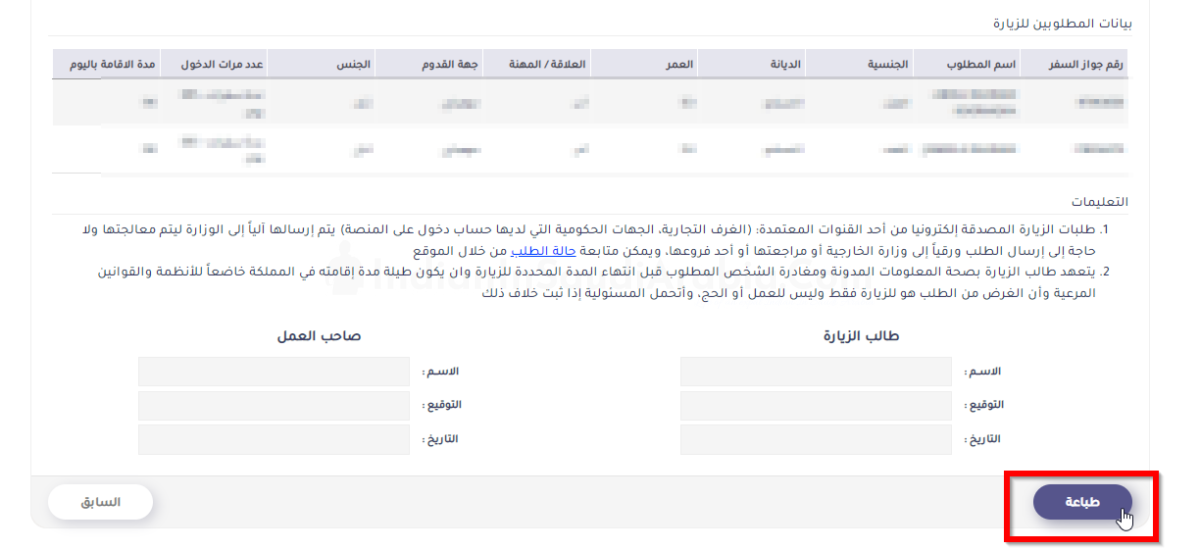
Official Submission of Visa Application Form
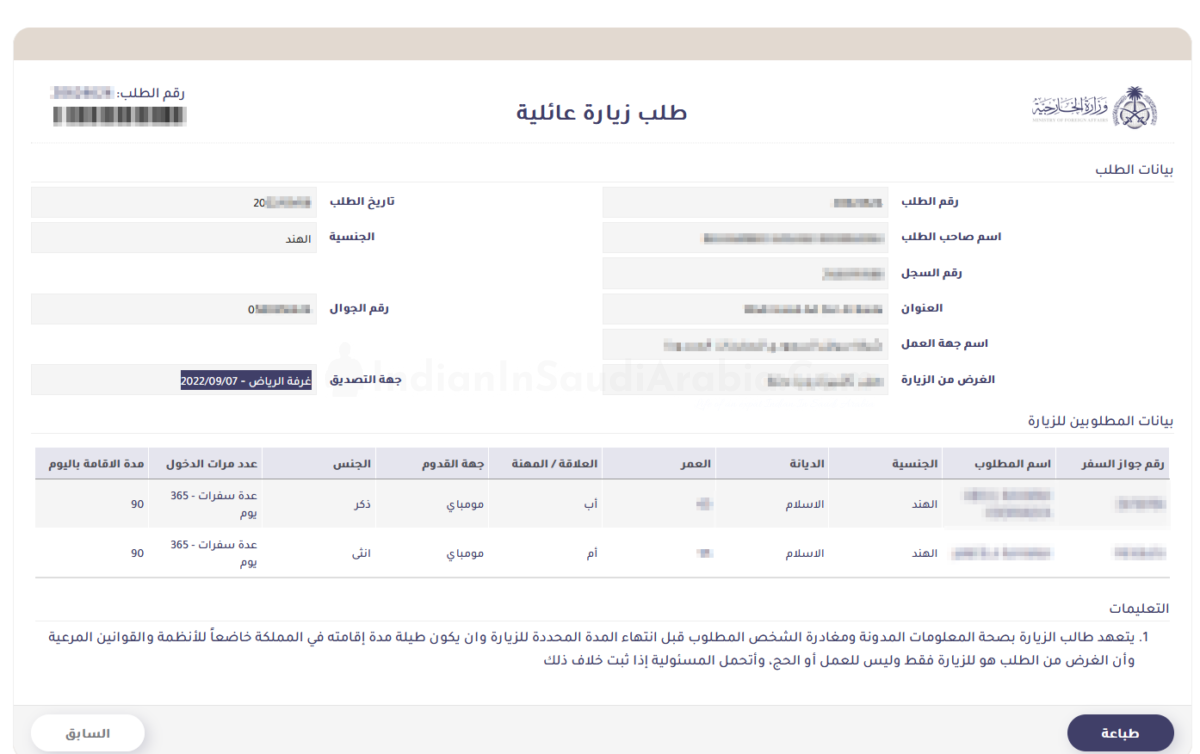
- Have your sponsor (Kafeel) sign and stamp the printed visa application form.
- For private employees, the Chamber of Commerce attestation is done online. Share the application with your Public Relations Officer (PRO) or Human Resources (HR) team for attestation. The application is officially submitted only after Chamber of Commerce attestation.
Check Visa Application Status
Visit the KSA Visa platform (https://ksavisa.sa/) and enter your application number and Iqama ID to check the Chamber of Commerce attestation status.
After the sponsor signs and stamps the form, approval status typically appears within a week or less (MOFA’s stated service time is 3 business days, with delays possible in exceptional cases).
On the MOFA website, under the Enquiry column, use the order number and Iqama number to track progress. If approved, the Request a Family Visa form will be replaced with a Visa Document, and the order number will change to the Visa Document Number.
Check the latest rules on the Family Visit Visa Updates page for current stamping deadlines.
Save the visa document and send it for stamping outside Saudi Arabia.
Family Visit Visa Stamping Procedure and Fees
Visit Visa Stamping Guide — visa stamping must be done within the current validity period (check the Latest Updates page for the latest timeframe).
Upon successfully obtaining the visa, share the copy of the visa along with the respective passport to travel agents in India who will obtain the stamping.
Stamping fees vary by age. Approximate agent quotes (not official fees; they change and differ between agents):
- Age 0–40: ~₹12,000 Age 41–50: ~₹12,500 Age 51–65: ~₹13,000 Age 65+: ~₹19,000
If everything goes well, you should get your passport with your visa stamped on it within 2–3 weeks.